
Think about traditional office systems from the early 2000s. When a new employee was hired, IT would quickly set up their email account, hand them a computer, and provide them with access to anything they needed. But with one gone, the procedure was usually protracted—or rather, lost. Accounts stayed active. Devices were never returned. Nobody observed until something went amiss.
Not much has changed today.
Organizations are spending a lot of money on onboarding, introducing new employees, installing equipment, and making a super-first impression. Yet offboarding receives less attention.
-
Onboarding = growth and opportunity
-
Offboarding = risk and loose ends
The reality is that onboarding is what makes your business, and offboarding is what takes care of it.
Secure Your Employee Offboarding Today
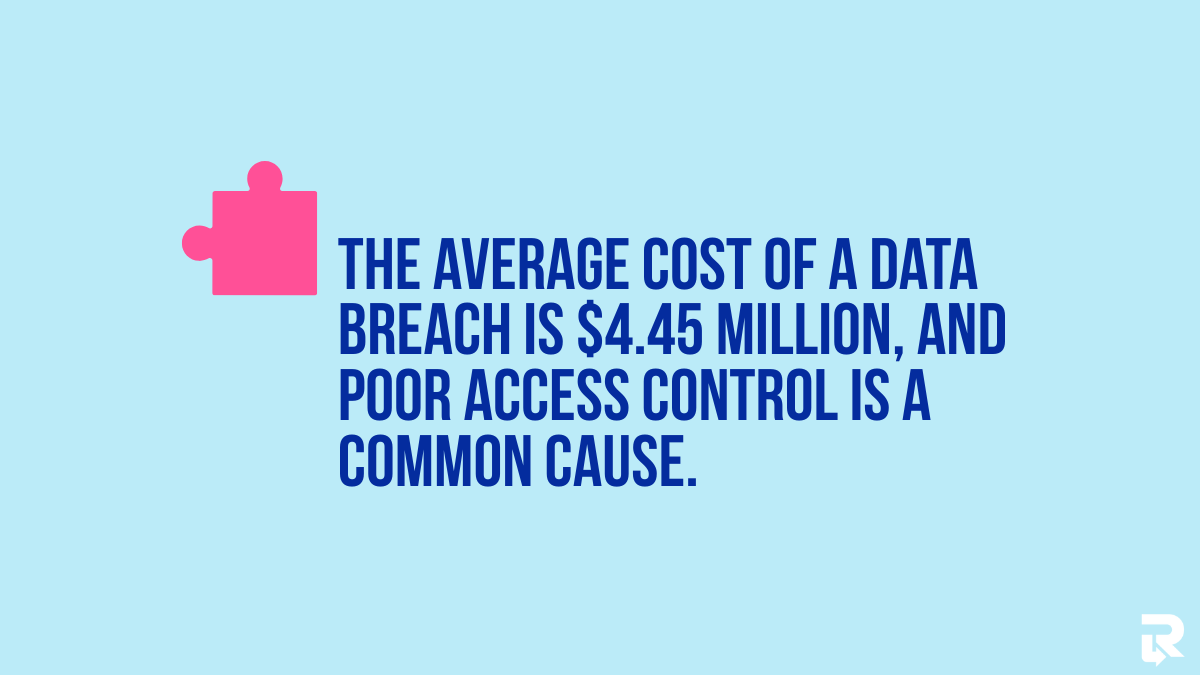
According to IBM Security, the average data breach cost reached $4.45 million (2023), and poor access control is a common cause.
The risk is even greater in remote work settings where devices and access can be more difficult to monitor.
Onboarding vs Offboarding: Different Goals, Unequal Risks
One gets the people in, the other sees that nothing is left behind.
1. What Onboarding Is Designed to Do?
Onboarding focuses on getting employees ready to work. It familiarizes them with systems, culture, and day-to-day work and provides everything they need to start working.
-
Access to tools (email, Slack, CRM)
-
Company devices (laptops, phones)
-
Training on workflows and processes
For example, a new employee can be granted full access to company systems on the first day to ensure they can contribute quickly. This is aimed at speed and productivity.
2. What Offboarding Is Responsible For?
Offboarding is about control and security. It ensures that all items provided during onboarding are correctly retrieved or closed.
-
Terminate access to any systems and accounts
-
Find company-owned devices
-
Store and ensure sensitive information is secured
-
Keep records and adhere to compliance
In remote teams, this becomes harder. Devices do not exist physically, and access is distributed across many tools. Unreturned devices pose a significant risk, as they often still contain company information.
3. The Critical Difference
The key difference: onboarding grants access, while offboarding must remove it entirely. If onboarding goes wrong, work slows down. But if offboarding fails, the company faces real risks, including insider threats such as data leaks, lost devices, or even financial loss.
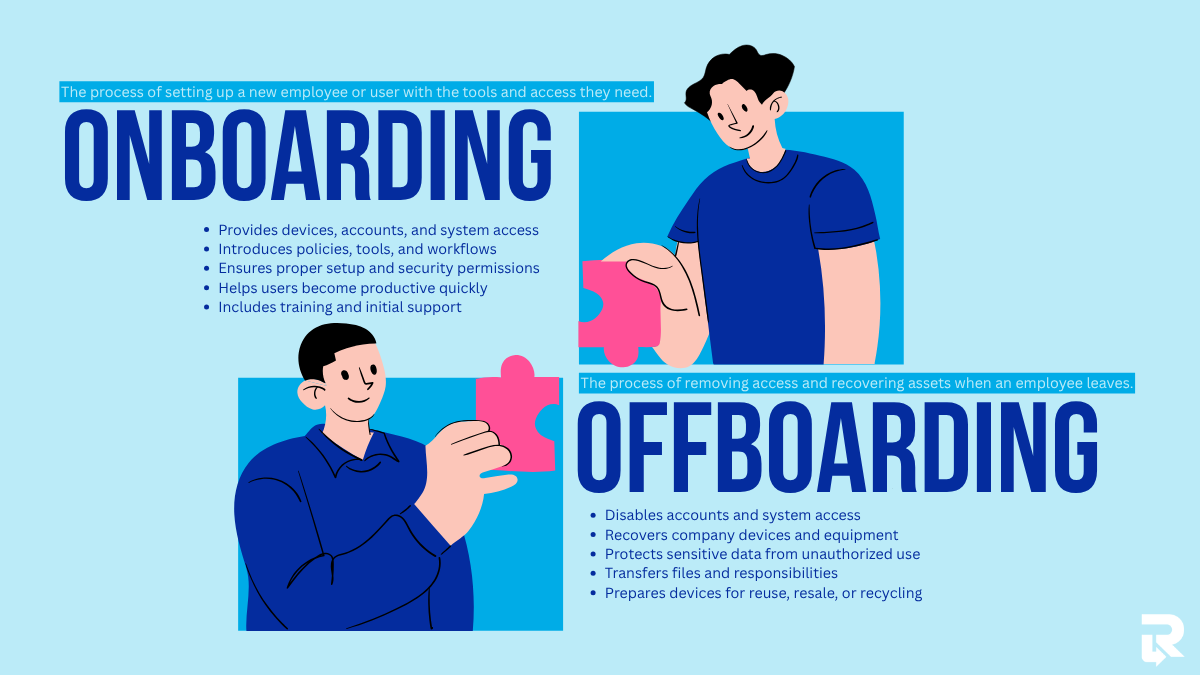
Onboarding, in exceptionally simple terms, enables individuals to begin working, whereas offboarding safeguards everything that they could access.
The Hidden Risks of Poor Offboarding
Even a small mistake during offboarding can create big problems that last long after an employee leaves. Most companies are interested in attracting workers, but they do not consider the dangers of letting them out the door.
1. Data Security Vulnerabilities
Failure to do offboarding correctly can leave former employees with access to company systems. These encompass email accounts, cloud stores like Google Drive, and communication applications like Slack. Without a foolproof IT asset recovery plan, files may still be synced to personal devices, or sensitive data may remain accessible without the company’s knowledge.
2. Unreturned IT Assets
Another common issue is unreturned devices. In remote teams, it’s easy for laptops or phones to go missing after an employee leaves. It is usually local company data stored on these devices, making it even riskier. Several firms are unable to monitor and recover devices once employees leave, exposing data and incurring financial losses.
3. Compliance and Legal Exposure
Poor offboarding can also cause compliance problems. Failure to remove access appropriately and to document it may lead to companies failing to uphold data protection requirements. Missing audit trails and weak exit documentation make it hard to prove that sensitive information was handled securely, which can lead to legal penalties.
4. Insider Threats (Often Overlooked)
Some of the biggest risks come from inside the company. Leaving employees can save a copy or download files containing significant data before their accounts are deactivated. Delays in deactivating the accounts in certain situations provide a window through which this can occur. A small delay can increase the likelihood of misuse.
Secure Your Employee Offboarding Today
When Remote Offboarding Breaks Down? – And Its Costs
Offboarding is a sensitive process even by default, but remoteness makes it more difficult to manage and far easier to make an error. Without a physical office, businesses are out of sight of devices, systems, and timelines. Consequently, small coordination breaches can easily translate into operational and financial issues.
1. Too Many Tools, Not Enough Control
There are various platforms that remote teams rely on daily. These often include:
-
Email systems (e.g., Gmail, Outlook)
-
Project management tools (like Asana or Trello)
-
Cloud storage (Google Drive, Dropbox)
-
Communication apps (Slack, Microsoft Teams)
-
HR and payroll systems
Each tool requires separate access removal. When a single account is overlooked, it may expose sensitive information. As one example, a non-productive employee could access shared folders or internal chat without detection. This increasing complexity is a key challenge, where businesses are encouraged to streamline tools and strengthen control systems to avoid such risks.
2. Where Coordination Often Fails
Offboarding is not handled by a single team. It requires coordination between:
| Department | Responsibility |
| HR | Initiates employee exit, documentation |
| IT | Removes access, retrieves devices |
| Security | Ensures compliance and data protection |
In remote setups, these teams often work separately. Delays in HR informing IT, or IT failing to ensure that access has been removed, result in gaps. Such delays may leave accounts pending longer than anticipated or unaccounted devices.
This is where structured processes become critical, especially for HR teams implementing a return system for managing distributed employees. It can help bridge gaps, ensure smoother coordination, and facilitate timely asset recovery.
3. Delays That Disrupt Operations
Delays of even a short time can lead to confusion between teams. When offboarding is not expedited:
-
Tools and accounts may not be reassigned on time
-
Teams may lose access to shared files or emails
-
Workflows slow down due to missing ownership
For instance, when an outgoing worker manages important client accounts, a late change to access can paralyze communication and affect service quality.
4. The Hidden Costs Add Up Quickly
Poor offboarding doesn’t always show immediate damage, but the long-term costs are real:
-
Lost productivity: Teams spend time fixing access issues or tracking missing devices
-
Manual effort: HR and IT rely on spreadsheets or emails to track progress
-
Internal friction: Miscommunication between departments reduces efficiency
These costs don’t appear on a single report, but over time, they reduce overall performance and increase operational strain.
5. Reputation Is Harder to Repair
When offboarding gaps lead to data leaks or compliance issues, the impact goes beyond internal systems. Customers and business associates desire their information to be treated in a secure manner. Trust and credibility can be ruined with even one wrong step, such as unauthorized access to common files.
6. A Structured Approach
In order to minimize these risks, businesses are migrating towards more structured and automated offboarding. Solutions like Remote Retrieval help by:
-
Tracking device returns in real time
-
Coordinating between HR and IT workflows
-
Reducing delays in access removal
-
Providing visibility into the entire process
Why Companies Still Underinvest in Offboarding
Although offboarding is associated with high risks, most companies do not give this issue serious thought. Here’s why:
-
Seen as an “End-of-Process” Task – Occurs at the end of a lifecycle of employees, hence less attention is given compared to onboarding; it does not return immediate ROI.
-
Lack of Ownership – IT takes care of deactivating accounts and collecting devices, whereas HR takes care of activation, and IT waits, creating loopholes and delays.
-
Overreliance on Manual Processes – Spreadsheets, email chains, and checklists are error-prone, and steps are easily overlooked.
-
Underestimating Risk – “It will never happen to us” attitude; managers are often unaware of how easily accessible devices can be abused.
What Effective Offboarding Actually Looks Like
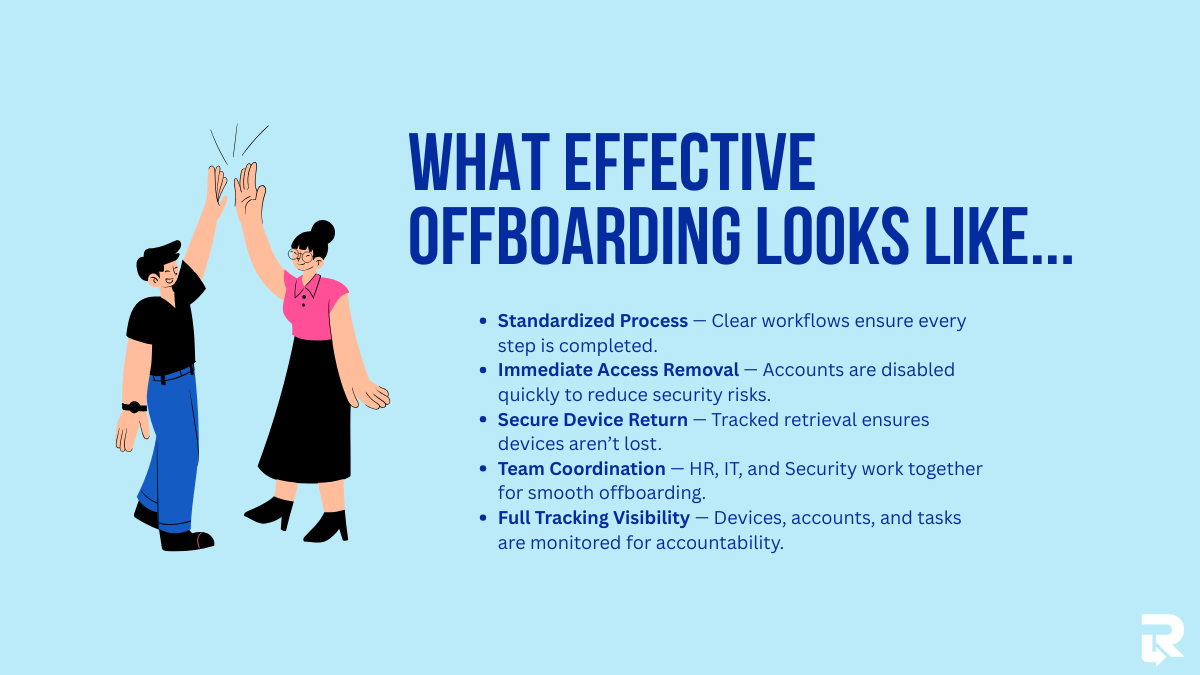
Structured offboarding provides security, compliance, and efficiency:
-
Standardized, Repeatable Process – Well-defined workflows with clearly defined duties ensure no step is missed.
-
Immediate Access Revocation – Automated deprovisioning and real-time updates minimize exposure windows.
-
Secure Device Retrieval – Secure chain-of-custody tracking and organized logistics ensure that the device is not lost, particularly when working with remote teams.
-
Cross-Functional Coordination – HR, IT, and Security coordinate their efforts in trigger-based workflows to complete them on time.
-
Full Visibility and Tracking – Accountability is maintained through status monitoring of devices, accounts, and compliance steps.
Secure Your Employee Offboarding Today
Offboarding as a Security Function (Not Just HR Admin)
Checking the boxes is not the only aspect of offboarding; it is an important aspect of keeping your company safe. Offboarding is a collaborative effort among cybersecurity, compliance, and IT operations that shifts the mindset from an administrative exercise to a risk-management system. Each account deleted, device gathered, and system updated is a line of defense. Organizations that turn a blind eye to this leave loopholes that can be exploited, particularly in remote settings. Using structured offboarding helps turn exits into a secure, automated process.
How Smart Companies Are Rebalancing the Employee Lifecycle
Leading companies are putting as much emphasis on offboarding as they put on onboarding. They make investments, both at entry and at exit, with proper budgets and tools.
-
Automation and Specialized Solutions – Access management and device retrieval platforms reduce manual errors and improve offboarding.
-
Policy Implementation – The offboarding process must not be optional; it is a quantifiable, enforceable set of procedures embedded in company regulations.
-
Continuous Improvement – Frequent audits, post-offboarding checks, and process streamlining are used to identify weaknesses and enhance efficiency.
Companies ensure data, devices, and overall business continuity by treating offboarding as a repeatable, trackable procedure. Platforms such as Remote Retrieval can greatly simplify this for remote teams.
Conclusion
Onboarding assists your company to grow, but offboarding safeguards it. Risk is highest, not least, as soon as an employee leaves. Errors in terminating access, retrieving devices, or tracking compliance can cost your business significant financial, legal, and reputational damages.
Secure Your Employee Offboarding Today
Firms that consider offboarding to be an afterthought are putting themselves at risk. Offboarding has become an essential security operation at smart businesses, and investments are made in processes, automation, and tools in order to seal gaps.