Imagine returning your work laptop and assuming everything important had been left with you—only to realize later that sensitive files, saved logins, or client data were still on the device. In today’s remote-first world, that risk is more real than most businesses think.
Remote and hybrid work have become the norm, with over 80% of employees globally working remotely at least part-time. Consequently, companies constantly transfer devices like laptops, phones, and tablets between users and locations. These devices not only facilitate work but also store a lot of business information, and in most cases, users are unaware of the volume of information stored on the device.
Even though investments in cybersecurity are increasing, one aspect that is often neglected is device returns. This process is typically handled like regular logistics, not as a security priority, whether it is staff offboarding or contractor departures.
However, the main problem is that data does not go away when the machine does. Unless properly managed, files, cached data, and active sessions may persist. In fact, studies have found that over 40% of used storage devices still contain recoverable sensitive data, highlighting how common improper data removal is.
This is what renders device returns exceptionally risky. The threat is what remains behind, invisible, unmonitored, and easily revealed when not taken care of, like visible cyber threats.
Schedule a Secure Laptop Retrieval Service Now
Why Device Returns Are a High-Risk Moment
Extending the concept that data is only erased when the device is returned, the moment the device is returned is a significant vulnerability. These machines are not merely hardware but dynamic stores of business action over time.
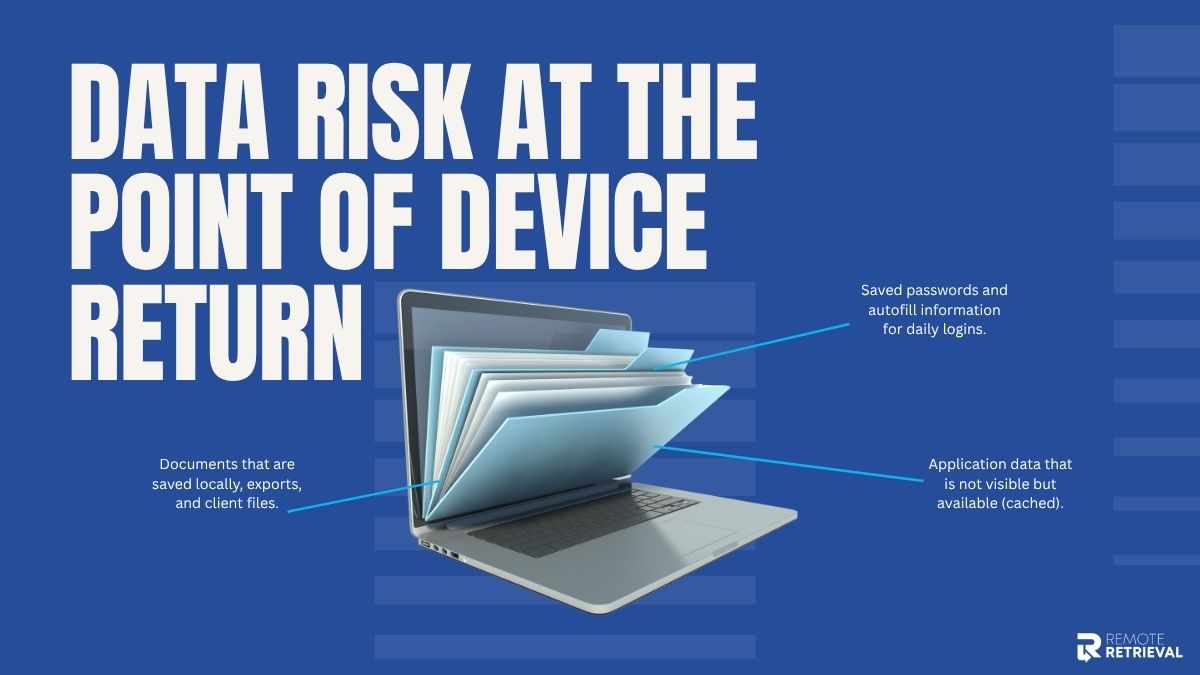
Each device returned can contain:
-
Saved passwords and autofill information for daily logins.
-
Documents that are saved locally, exports, and client files.
-
Application data that is not visible but available (cached).
The absence of formal control is what makes this stage more dangerous. In most organizations, particularly small businesses and startups, offboarding is rushed and may lack a checklist. Devices are gathered, and data sanitization is either assumed or omitted entirely.
There is also a process gap. In contrast to onboarding (which is typically standardized), device returns are likely to be
-
Inconsistent across teams.
-
IT is not involved.
-
Reliant on the actions of the user.
The consequences are not theoretical. Information that has been disclosed through devices returned has resulted in the following:
-
Direct financial loss due to leaked client or payment information.
-
Tarnished image that undermines consumer confidence.
-
Breach of compliance with data protection laws.
Where Data Leaks Actually Occur During Returns
After a device has been returned, the vulnerability lies in the specific points where information is stored without any awareness. These are not always apparent, and that is why they are often overlooked.
The most frequent leak points are:
-
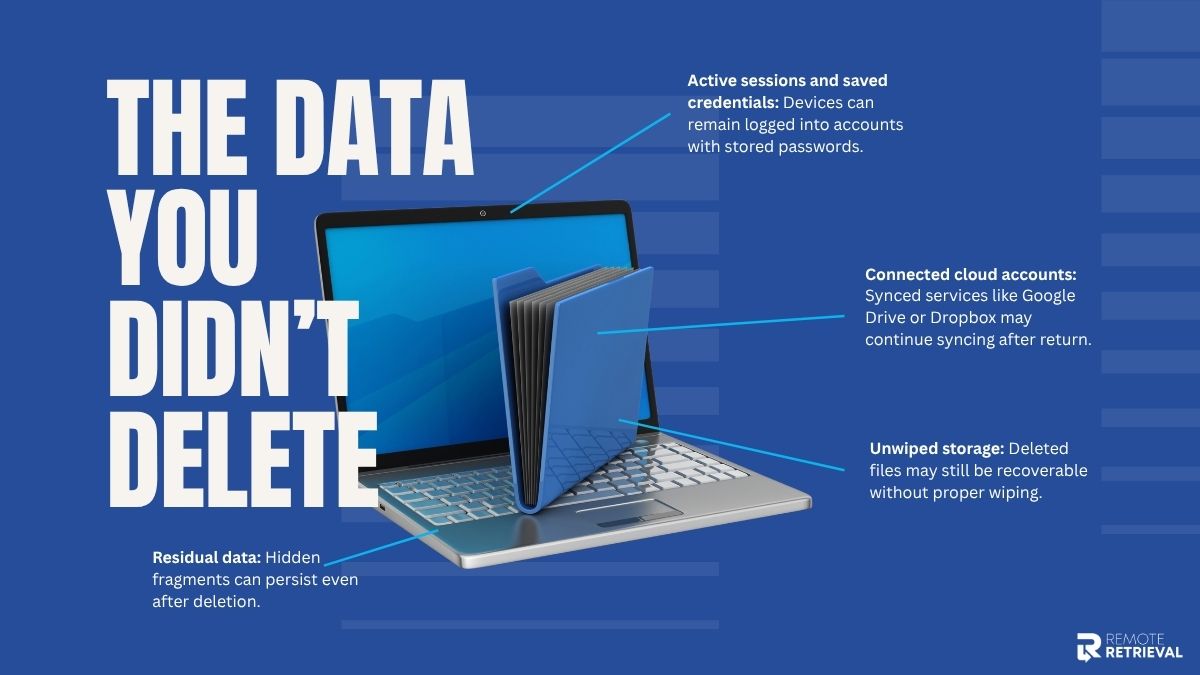
Unwiped storage: Simply deleting files doesn’t permanently remove them. Data on hard drives, SSDs, and even USB devices can often be recovered without proper wiping.
-
Active sessions and saved credentials: Many users remain logged into tools, email accounts, and dashboards. Browsers and apps frequently store passwords, allowing immediate access for the next user.
-
Connected cloud accounts: Devices synced with platforms such as Google Drive, Dropbox, or internal systems may continue syncing in the background even after being returned.
-
Hidden or “shadow” data: Hidden or “shadow inventory” data refers to the fact that deletion of files does not destroy them. Hard drives, SSDs, and USB devices are frequently recovered without wiping down.
These loopholes are minor yet significant. All of them are access points where data can be exploited.
How to Secure Data Before the Device Leaves
Before a device is returned, the goal is simple: make sure no critical data is left exposed or accessible.
Once you’ve identified where leaks occur, the next step is to act before the device even leaves the user’s hands. This stage presents your initial and optimal opportunity to avert future issues.
1. Backing Up Critical Business Data
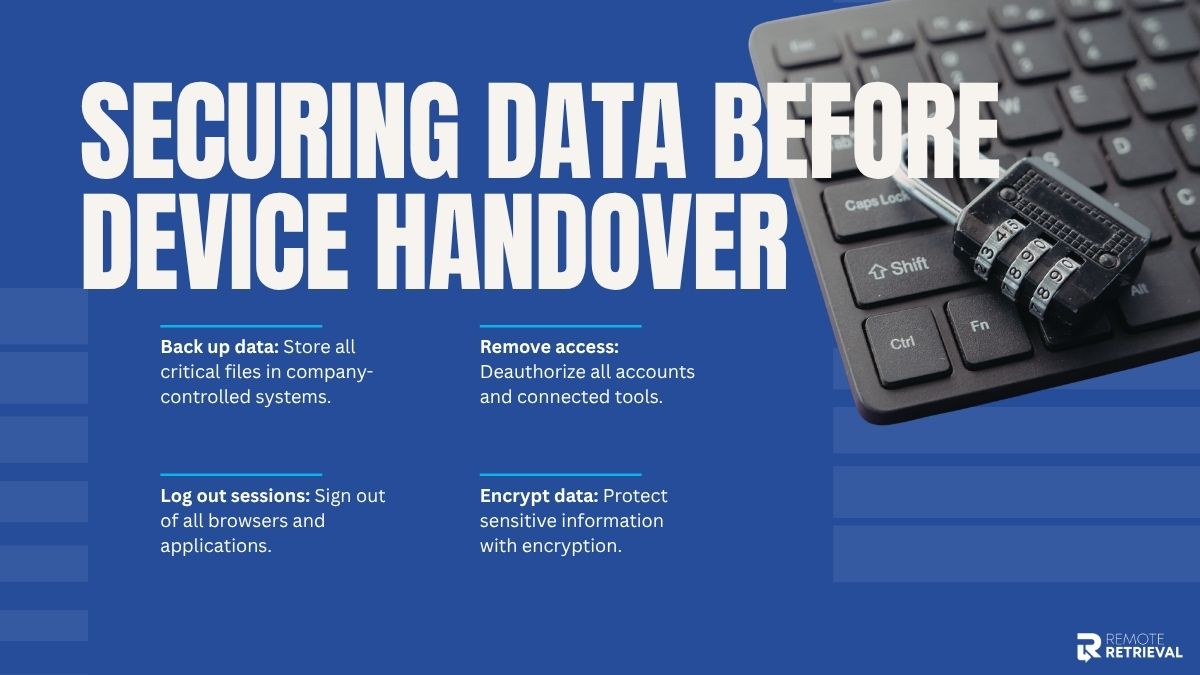
Begin by ensuring that all vital files are securely stored in a system under the company’s control. Work is frequently stored in local storage without employees’ knowledge, which poses a threat when returning or wiping.
For example, a freelance designer returns a laptop, but their latest client files were only saved on the desktop. Without a backup, that work is permanently lost.
2. Removing Account Access and Authorizations
Next, all business tools and platforms connected to the device should be deauthorized. Many apps remain logged in unless access is manually revoked.
Now, imagine that if a CRM or email tool remains authorized, the returned device might still allow access to customer records or confidential communications.
3. Logging Out of All Active Sessions
It is not just sufficient to close applications. Active sessions might remain open in browsers, cloud applications, and collaboration tools unless closed deliberately.
This measure will ensure the device cannot re-enter synced accounts in the background upon reuse.
4. Encrypting Sensitive Data Before Transfer
For high-value or confidential information, encryption adds a final protective layer. Even if something is missed during the process, encrypted data remains unreadable without the proper key.
This is particularly critical when equipment is transported, handled by third parties, or handled outside the company.
Secure Data Erasure
Proper removal of data is not only a matter of deletion but also of ensuring that nothing is ever retrieved.
Permanently erasing the data is the most important action after preparing the device. This is where most businesses make costly errors.
To begin with, know the distinction between deleting files and wiping data. Once you destroy a file, it is not immediately erased; it is usually left on the machine until overwritten. It can be easily restored using recovery tools. However, data can be overwritten several times, which is the proper way to wipe it.
Next comes the option of a factory reset and certified wiping tools.
-
A factory reset will destroy the majority of user data, but it is not necessarily secure or compliant.
-
Certified data wiping tools are strict in terms of protocols and produce evidence that the data is no longer recoverable.
For example, in regulated industries, simply resetting a laptop isn’t enough—you may need documented proof that no data can be recovered.
Another step that is usually not followed but is important is verification. You must ensure that you cannot recover any data after wiping. Reports or certificates to confirm this are given by some tools to minimize the legal and security risks.
Finally, various devices have to be handled differently:
-
Laptops/desktops: Complete disk wiping or hard disk deletion.
-
Smartphones/tablets: Factory reset + account deletion + encryption.
-
External drives/USBs: Full overwrite or destroy physically in case it is very sensitive.
Each device type stores data differently, so a one-size-fits-all approach doesn’t work.
When properly done, this will make sure that when the device is switched to another owner, your data does not go with it in any form that would be useful.
Schedule a Secure Laptop Retrieval Service Now
Safe Logistics: Securing the Device During Transit
After securing and erasing the data, the next important security layer is the physical movement of the device.
Once a device is prepared, most security threats are no longer dealt with digitally but physically. The properly wiped device may be exposed to vulnerability in the event of loss, theft, or access in transit.
1. Reliable Shipping & Real-Time Tracking
Start with trusted shipping methods that offer end-to-end tracking. This will promote visibility at every point of the gadget’s path and make it less likely to lose track of it.
Logistics data in the industry indicate that there is a relatively small yet steady proportion of deliveries that are delayed, misrouted, or lost- particularly in large volume courier systems.
2. Tamper-Proof Packaging for Physical Protection
Devices should always be packed safely in shipping boxes during returns. Devices sealed in tamper-evident packaging clearly show whether they have been opened.
For instance, if a returned laptop arrives with a broken security seal, it immediately indicates possible unauthorized access during transit, allowing teams to investigate before reconnecting it to systems.
3. Chain of Custody
Chain of custody means documenting every individual or entity that handles the device, from the employee who ships it to courier staff to the receiving IT team.
This creates accountability and helps pinpoint exactly where an issue may have occurred if a device is delayed, lost, or compromised.
4. Uncontrolled Third-Party Handling Risks
The more devices are shipped with several logistics partners without stringent measures, the more security loopholes are created.
Devices can be subjected to physical manipulation or unauthorized access even when stored in the short term in unsecured facilities or when handover is not properly defined.
Common Mistakes That Lead to Data Breaches
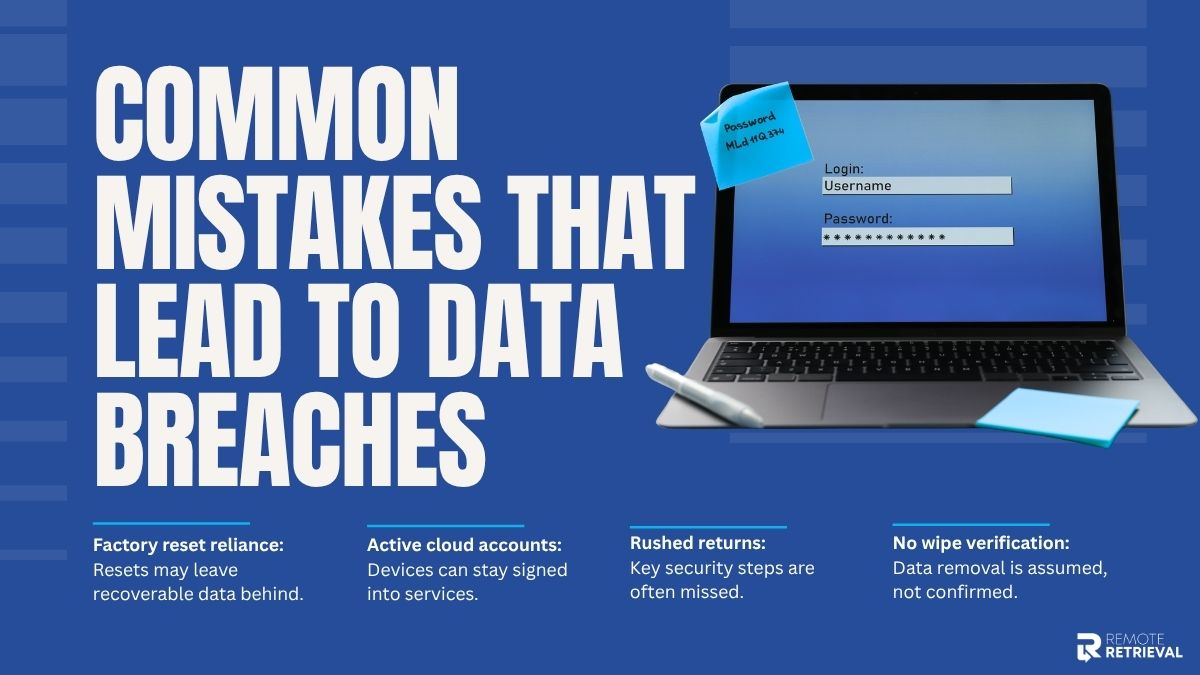
Even with good intentions, small gaps in the device return process often create serious security risks later. Security issues happen because critical details are overlooked. These mistakes are usually simple, but their impact can be significant.
-
Assuming a Factory Reset Is Enough
One of the most common misconceptions is that a factory reset fully removes all data. In reality, it mainly clears user access, not deep storage remnants.
While it may look like everything is gone, data can still exist in recoverable form. SSDs, in particular, handle data in a way that can leave behind fragments even after deletion. In some cases, recovery tools can reconstruct files that were thought to be erased.
A returned laptop that was only factory reset could still allow recovery of cached documents or stored login traces using standard recovery software.
-
Forgetting Cloud and SaaS Account Access
Another frequent issue is leaving cloud or SaaS accounts connected to the device. Even after physical return, the device may still hold active sessions tied to business systems.
Common oversights include:
-
Email accounts are still signed in
-
Cloud storage services like Google Drive or Dropbox remain active
-
CRM or internal tools are still authorized on the device
For example, if a returned device still has access to a CRM system, customer records, or sensitive business data, those records could remain accessible through synced sessions.
-
Skipping Verification After Data Wipe
Wiping a device is not enough on its own—the process must be verified. Without confirmation, there is no guarantee that data has been fully removed.
Many teams skip this step, which leads to blind spots such as:
-
No confirmation of full data destruction
-
No audit logs or wipe reports
-
No secondary check after the process is completed
This creates a situation where a device is assumed to be clean, but no evidence supports that assumption. In regulated industries, this can also create serious compliance concerns.
-
Rushing the Return Without Proper Documentation
Speed often becomes the biggest weakness in remote device returns. When processes are rushed, important steps are easily missed, especially when there is no structured workflow in place.
For example, a device might be shipped back without confirming that all accounts were logged out or that backups were completed. In fast-paced environments, these small skips can accumulate into major security gaps.
Schedule a Secure Laptop Retrieval Service Now
Conclusion
A device return might feel like the end of a work cycle, but in reality, it’s where hidden data risks are often left behind. Without a proper process, even retired devices can still carry access points, cached data, or connected accounts.
That’s why the real goal is simple: make sure nothing useful to a breach survives the return process. When handled through a clear, structured flow, the device returns from being a weak spot to a controlled security checkpoint.
This is exactly the thinking behind modern frameworks like Remote Retrieval-style systems, where every returned device is verified, cleaned, and fully cleared before it exits the ecosystem. It’s a final safeguard that ensures your data doesn’t leave with the hardware.