
Getting a laptop returned from an employee who has left your company is just the beginning. You should also be aware of the speed of the return; whether the correct device was returned; where delays occurred; and whether the laptop is ready for the next assignment.
These questions are harder for IT asset managers to answer, as remote employees may work from different cities, states, or countries. A transparent remote laptop retrieval process provides your IT team with the necessary documentation to oversee each offboarding to redeployment.
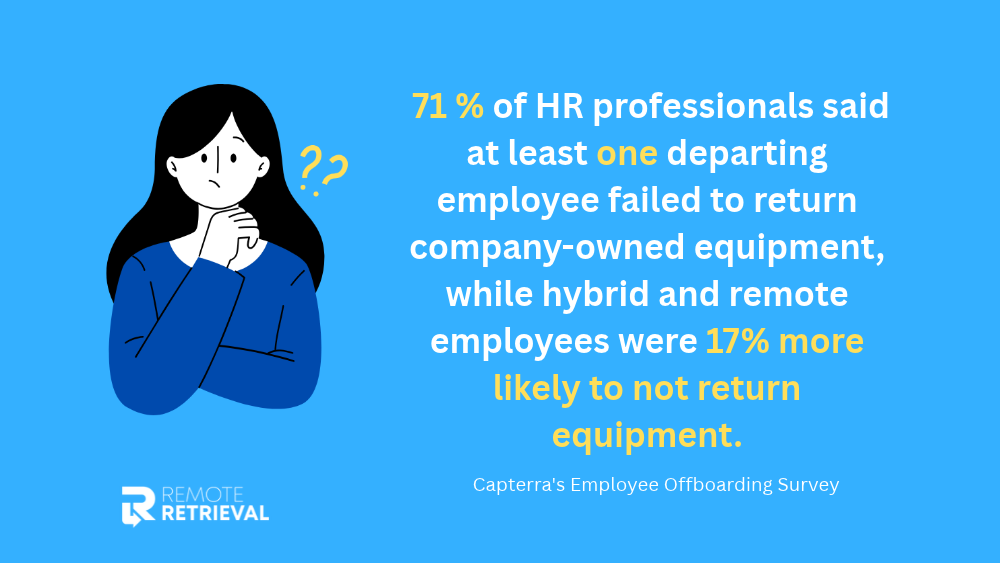
The need for a consistent process is clear. Capterra’s Employee Offboarding Survey found that 71% of HR professionals said at least one departing employee failed to return company-owned equipment, while hybrid and remote employees were 17% more likely to not return equipment than employees working entirely on-site.
This guide covers the key steps in a laptop return process and the 10 KPIs you can track to gauge its effectiveness.
Process of Laptop Return
The steps of a successful remote employee equipment return should be the same each time. The exact tools may vary, but each return should go from the offboarding trigger to asset verification, shipping, receipt, and final reconciliation.
Stage 1: Start the Return After Offboarding
This begins when an employee resigns or is no longer assigned to a company-owned device. The return should be initiated by the IT manager or the team responsible for the return. Keep in mind that IT is the individual or group who is responsible for company laptops, equipment assignments, and returns in this guide. This can be IT asset management, IT operations, the network manager, the CTO, or another team, depending on the organization
The return record should contain:
- Employee’s name
- Contact details
- Equipment assigned
- Asset or serial number
- Employee location
- Company’s return address
The team should also record the offboarding date and the deadline for returning the equipment. Having a clear IT asset recovery plan for offboarded employees can help ensure these details are handled consistently.
A clear trigger helps avoid the risk of returns being forgotten and provides a clear starting point for measuring the laptop recovery process for everyone.
Stage 2: Check Assigned Equipment
IT asset managers should verify what the employee has before arranging the return. This may be a laptop, monitor, phone, tablet, or other company-provided equipment. In this case, a remote employee onboarding checklist developed beforehand helps.
Review the asset management record for equipment assigned to the employee. If the records are not complete, address that before sending the return materials.
The return record should include:
- The asset tag or serial number is required
- Device type and model
- Employee assigned to the device
- Current asset status
- Expected equipment being returned
This step provides you with a solid reference point to determine if the proper equipment was later recovered.
Stage 3: Identify Employee and Return Locations
Accurate shipping information is critical for remote IT equipment returns. Before creating the retrieval request, IT asset managers require the employee’s current address and the company’s destination address.
If the employee’s address is incorrect, the entire process can be delayed, or the return kit can be sent to the wrong address. The team should verify the address when initiating the return and add or remove it from the asset record as appropriate.
Stage 4: Make the Retrieval Request
Once the asset and address information is confirmed, IT asset managers can create the retrieval request. The request should specify what is to be returned, the employee’s location, the equipment’s destination, and the time of return.
Centralized requests are useful for organizations with numerous returns, as they allow them to easily track who is waiting for return instructions, who is waiting for shipments, and who has received assets. This becomes particularly important when businesses recover company laptops from remote employees across multiple locations.
A retrieval partner can also minimize manual tasks by taking care of return packaging, shipping labels, employee communication, and shipment tracking.
Stage 5: Send the Return Kit
Typically, the company cannot just send someone over to pick up the laptop for a remote employee. Rather, the employee should have the appropriate packaging and shipping directions. This is why the company prepares a return kit and sends it to the employee for packaging.
The return record should include the date the kit was prepared, shipped, and returned. These dates are useful to determine whether there were any delays prior to the employee getting the kit.
Stage 6: Employee Packs and Ships the Equipment
The company is responsible for sending the employee prepaid return packaging, instructions, and a shipping label. The company covers all shipping costs, not the employee. The employee packs the equipment and ships it back using the prepaid label.
The return is only complete when the equipment reaches your office and is verified. Once the device arrives, it moves through a whole new process for a retrieved laptop, which includes inspection and data destruction to prepare for the new user.
Stage 7: Track the Shipment
After the package is sent, tracking information is the primary source of status information. IT should be able to view if the equipment is waiting to be shipped, in transit, delayed, or delivered.
Monitoring should be continued until the equipment has arrived at the company’s destination. Keeping accurate records becomes even more important as laptops move between employees and locations, making tracking laptops across multiple remote locations a key part of maintaining asset visibility.
Stage 8: Manage Exceptions
Not all returns are as they should be. An employee may not respond, the address may be wrong, the package may be delayed or the equipment may arrive damaged.
Each exception should be recorded instead of being handled informally. The record should show what happened, who handled it, when action was taken, and how the issue was resolved.
This information is particularly helpful when you are working out your exception rate and searching for patterns of problems.
Stage 9: Take and Check the Equipment
Upon receipt, the receiving team should verify that the required equipment is in the package and note the date of delivery. The team should further verify:
- The asset tag number
- Any damages to the device
- Device data or content
The return is not complete until the equipment is received and verified, not just the carrier’s return marking.
Stage 10: Reconcile and Prepare for Redeployment
The last step is to update the asset record. The IT department should update the employee assignment, document the return date, update the device status, and document any inspection, repair, data wipe, or other processing required.
After these steps, the laptop can be placed in the organization’s storage and later redeployed.
This last step links IT asset retrieval to asset utilization. A laptop that has been recovered is more valuable when your team can provide immediate confirmation of the laptop’s condition and get it ready for the next user.
10 KPI Metrics to Measure
Here are the ten KPI metrics that IT asset managers should keep track of when measuring laptop returns from former employees:
-
Return Complete Rate
Return Complete Rate is the percentage of equipment returns that have been returned to a completed state. It can help you determine if your employee laptop return process is actually recovering the equipment that is assigned to employees who are leaving.
Have a clear definition of the word “complete. For instance, a return may not be completed until the equipment is received, the asset identity is confirmed, and the asset record is updated.
Formula:
Return Complete Rate = Completed returns / Total initiated returns x 100
For instance, if 95 out of 100 returns are completed and received, then your completion rate is 95%.
Track:
- Total returns initiated
- Returns received
- Returns reconciled
- Open or Unclosed returns
A low rate may indicate that employees are not responding, addresses are incorrect, there are shipping issues, or there is a lack of follow-up within the organization. Building a consistent laptop retrieval process makes it easier to identify and address these gaps.
-
Average Return Cycle Time
Average return cycle time is the average number of days from when you start the laptop return process until the device arrives back at your office, is verified, and logged in your system.
Formula:
Average Return Cycle Time = Total return cycle time ÷ Number of completed returns
If 10 returns are completed in 120 days, for instance, your average cycle time is 12 days.
The average provides a helpful indication of the overall speed of the process, but it does not provide information about the location of delays. Divide the cycle into steps to find the problem.
Track:
- Offboarding to retrieval request
- Ask to have kits returned
- Kit shipment to employee delivery
- Shipment to final delivery
- Delivery to asset reconciliation
A retrieval partner can help to minimize manual delays by handling return packaging, employee reminders, and shipment tracking.
-
On-Time Return Rate
On-Time Return Rate is the percentage of equipment returns that are returned on time as determined by your company’s deadline.
First, establish a clear deadline. For instance, your remote equipment return policy may state that the employee must ship equipment within 5 business days of receiving the return kit.
Formula:
On-Time Return Rate = Devices returned within required timeframe ÷ Total devices due for return × 100
For example, if 90 of 100 devices are returned within the required period, your rate is 90%. Timely returns remain a challenge for remote teams, with 24% of remote employees in Allwhere’s 2026 research saying they never returned employee-provided equipment.
Don’t stop at the overall percentage. Decompose to look for patterns.
Track:
- Employee shipment date
- Required return date
- Actual delivery date
- Reason for late returns
Late return may be due to employee delay, wrong address, carrier delay, or internal processing delay. If you note the reason, you can go back to the source.
-
Return Shipping Cost per Asset
Return Shipping Cost per Asset is the average shipping and handling cost to return each company device. It provides IT managers with insight into the logistics cost of the return program and allows them to compare costs by location, carrier, or retrieval method.
Formula:
Return Shipping Cost per Asset = Total return shipping and handling costs / Total returned assets
For instance, if shipping and handling expenses are $2,000 for 100 returned devices, the average cost per asset is $20. Separate packaging, labels, carrier charges, and other shipment costs to determine what is contributing to the overall cost.
Track:
- Packaging cost
- Outbound and return shipping
- Additional shipment charges
- Cost based on location or carrier
Return kits and centralized logistics can help minimize unnecessary shipping costs and manual processing.
-
Asset Recovery Rate
Asset Recovery Rate is the percentage of company-owned devices that are recovered when employees leave the company. This is different from Return Completion Rate because it is about the assets themselves and can be helpful if an employee has more than one device.
Formula:
Asset Recovery Rate = Successfully recovered assets ÷ Total assets requiring recovery × 100
For instance, if 180 of 200 assets that have been assigned to departing employees are recovered, the recovery rate is 90%. If the rate is lower, it could mean that the equipment is missing, records are incomplete, employees are not responding, or shipping problems have not been resolved.
Track:
- Assets requiring recovery
- Assets shipped
- Assets received
- Assets still outstanding
Your IT department should compare each recovered device with its asset or serial number prior to closing the return. Centralized retrieval and automated tracking records can help identify and escalate outstanding assets.
-
Device Condition Rate
The Device Condition Rate is the percentage of laptops returned that are usable, repairable, or damaged. This provides IT with insight into the condition of equipment when used remotely and during shipping, and aids in determining what can be redeployed.
Formula:
Device Condition Rate = Devices in the measured condition category ÷ Total returned devices × 100
For instance, if 80 out of 100 returned laptops are usable, the usable condition rate is 80%. The receiving staff should check the device and document the condition, missing accessories, and any damage.
Track:
- Usable devices
- Repairable devices
- Damaged devices
- Missing accessories
Standardized protective packaging can help minimize damage during transit, and consistent inspection records can help identify trends in conditions.
Learn more about: What to Do with Damaged Company Laptops
-
Redeployment Rate
Redeployment Rate is the percentage of devices returned that are ready for re-use. It indicates if your recovery process is actually delivering value to the organization from equipment that is returned.
Formula:
Redeployment Rate = Returned devices suitable for reassignment ÷ Total returned devices × 100
If 75 out of 100 laptops are returned and are ready for sending to another employee, then your redeployment rate is 75%. An IT manager should decide if it is suitable based on the condition, performance, security status, and configuration of the device.
Track:
- Devices that are available for re-assignment.
- Devices requiring repair
- Devices that need data wiping
- Retired or recycled devices
Treating redeployment as part of the asset lifecycle helps IT get usable equipment back into inventory faster.
-
Data Security Compliance Rate
Data Security Compliance Rate is the percentage of devices returned that have gone through all the necessary data erasure and security procedures. This is particularly crucial if the laptop has company files, credentials, customer information, or other sensitive data.
Formula:
Data Security Compliance Rate = Devices completing required security process ÷ Total returned devices requiring security processing × 100
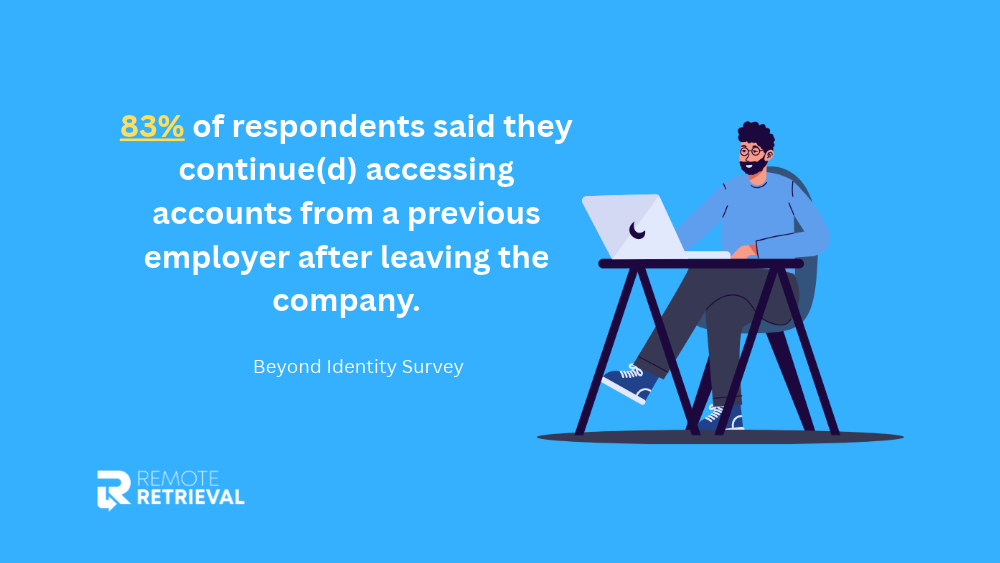
A full return should not be considered a security-compliant return until the process is completed and documented. This is an important step: in a Beyond Identity survey, 83% of respondents said they continued accessing accounts from a previous employer after leaving the company.
Track:
- Device that needs data wipe
- Wipe or security processing date
- Method or standard used
- Record of verification or completion
This should be owned by IT or the designated security team. With Remote Retrieval, an optional software-based data wipe is available, based on NIST 800-88 standards.
-
Chain-of-Custody Exception Rate
Chain-of-custody exception rate is the percentage of assets returned that have missing, incomplete, or problematic tracking records. It assists IT managers in determining where responsibility is lost between the employee, carrier, receiving team, and the end asset record.
Formula:
Chain-of-Custody Exception Rate = Assets with custody exceptions ÷ Total returned assets × 100
Some exceptions might be a missing tracking number, an unexplained shipment delay, an asset delivered without confirmation, or a mismatch between the device and its records.
Track:
- Asset or serial number
- Tracking information
- The shipping and delivery dates are subject to change.
- Exception and resolution
All handovers should be documented. Centralized tracking and defined steps of escalation help to identify issues before an asset is lost.
-
Cost per Recovered Asset
Cost per Recovered Asset is the total cost of the recovery program divided by the number of assets recovered. This is a more comprehensive KPI than Return Shipping Cost per Asset, as it includes all other costs associated with the program.
Formula:
Cost per Recovered Asset = Total program cost / Number of successfully recovered assets
For instance, a program that costs $10,000 and recovers 200 assets has a cost of $50 per asset recovered. Consider shipping, packaging, labor, support, exception handling, and other recovery costs.
Track:
- Total program costs
- Successfully recovered assets
- Additional recovery expenses
- Cost per location/employee group
This KPI can be compared over time to determine if the cost of recovery is decreasing as a result of automation, standardized return kits, or a retrieval partner, while maintaining a high recovery rate.
|
10 KPI’s to Measure Remote IT Equipment Returns Program |
||
|
Metric |
How to Calculate |
Why it Matters |
| Return Complete Rate | Completed returns ÷ Total initiated returns x 100 | Helps determine if your employee laptop return process is actually recovering assigned equipment |
| Average Return Cycle Time | Total return cycle time ÷ Number of completed returns | Indication of the overall speed of the process |
| On-Time Return Rate | Devices returned within required timeframe ÷ Total devices due for return × 100 | Tracks whether devices are returned within the required period |
| Return Shipping Cost per Asset | Total return shipping and handling costs ÷ Total returned assets | Tracks shipping costs and manual processing charges |
| Asset Recovery Rate | Successfully recovered assets ÷ Total assets requiring recovery × 100 | Missing, records are incomplete, employees are not responding, or shipping problems have not been resolved |
| Device Condition Rate | Devices in the measured condition category ÷ Total returned devices × 100 | Check the device and document the condition, missing accessories, and any damage of returned equipment |
| Redeployment Rate | Returned devices suitable for reassignment ÷ Total returned devices × 100 | Bring usable equipment back into inventory faster. |
| Data Security Compliance Rate | Devices completing required security process ÷ Total returned devices requiring security processing × 100 | Measures security-compliant return process, protects company files, credentials, customer information, or other sensitive data. |
| Chain-of-Custody Exception Rate | Assets with custody exceptions ÷ Total returned assets × 100 | Assists IT managers in determining where responsibility is lost between the employee, carrier, receiving team, and the end asset record. |
| Program Cost per Recovered Asset | Total program cost ÷ Number of successfully recovered assets | Consider shipping, packaging, labor, support, exception handling, and other recovery costs. |
Conclusion
A successful remote laptop retrieval program is not just about the number of laptops that are retrieved. You must understand their return rate, employee response time, trackability of shipments, frequency of problems, and the ability to accurately record recovered assets.
First, establish a definition of a completed return, and then record the same data for each employee return. These 10 KPIs will help you to recognize delays, measure performance, and enhance your laptop recovery process.
The right return partner can also help to minimize manual tasks for remote teams, such as packaging, employee communication, and tracking shipments. Return packaging, prepaid labels, employee notifications, tracking, and support throughout the shipping process are all included with Remote Retrieval.
Send a Laptop Retrieval Service
Frequently Asked Questions (FAQs)
How often should IT asset managers review remote laptop return KPIs?
Most organizations will find a monthly review a good starting point. If your company is larger and has a high turnover rate, you might want to check weekly and provide a monthly summary. By looking at the same KPIs over time, you can identify trends, such as an increase in return times or exceptions, instead of just looking at individual returns.
What should IT asset managers do when an employee does not return a company laptop?
First, make sure that the employee was given the return instructions and the correct shipping information. Remind them, keep track of all attempts to contact them, and follow the company’s escalation procedure if they still don’t respond. The asset record should be kept current until the equipment is recovered or the case is officially closed.
Should companies have different return deadlines for different employees?
A standard return deadline simplifies the process and allows measurement of the process throughout the organization. Staff need to be aware of the time they should be sending or returning their equipment. When business needs dictate, different deadlines can be used, but the reason should be documented.
What information should be kept for each returned laptop?
The return record should contain the asset or serial number, employee information, shipment details, key dates, condition of the device, security processing, and final asset status. Exceptions and delays should also be noted. Having all this information in one place provides the IT team with a clear history of the laptop’s return trip.
How can employers reduce delays in remote laptop returns?
The majority of delays can be minimised by assigning a clear to each step and by ensuring that the return instructions are easy to follow. Keep returns moving with accurate addresses, proper packaging, automated reminders, and shipment tracking. KPI results can also be used to identify where delays occur most frequently.
What do you do with a returned laptop that is not suitable for redeployment?
The device may be evaluated for donation, repair, resale, recycling, or retirement of the IT asset depending on the condition, security status, age, and value of the device. The final decision should be recorded in the asset management system. This will ensure that equipment that is not usable is not kept in active inventory and that asset records are accurate.
Feature image: istock.com