Key Takeaways
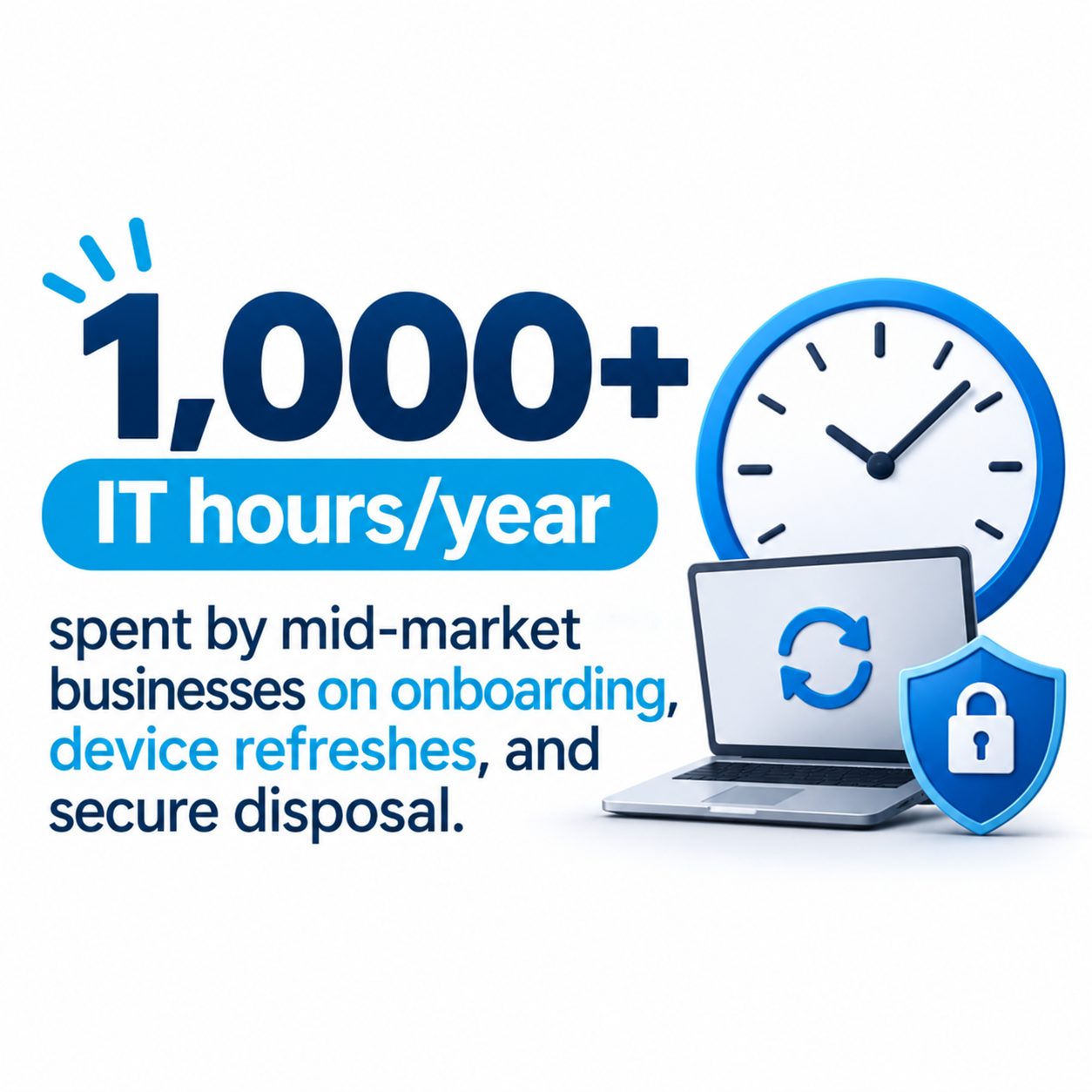
- IT Hours Spent: Mid-market businesses spend over 1,000 IT hours annually on onboarding, device refreshes, and secure disposal.
- Monthly Storage: Storing IT assets in-house can cost around $728 per month in the article’s 500-square-foot storage example, including space and labor.
- Storage Isn’t Enough: A warehouse needs to provide asset-level tracking, condition assessments, data sanitization, and redeployment support to maintain lifecycle control.
- Compare Total Costs: Storage rent alone doesn’t reflect the actual expense. Labor, infrastructure, handling, shipping, and additional service fees all affect the final cost.
In-house asset storage offers direct control, but it also adds more responsibilities like managing inventory, security, and space. Outsourced IT asset warehousing takes the burden off, but limits control and may give rise to potential integration issues.
And let’s not overlook the cost factor. The pricing depends on the number of assets a business manages, how often it needs them, and what resources it already has. According to Quadbridge’s 2025 report, mid-market businesses spend more than 1,000 IT hours annually on activities like onboarding, device refreshes, and secure disposal.
But cost and saving staff time aren’t the only decision-driving factors. Inventory gaps, security risks, and delayed device retrieval can introduce further problems. Therefore, this guide will walk you through both models, helping you understand which option is more suitable for your business.
What Is In-House Storage and Outsourced IT Asset Warehousing
Let’s look at in-house storage and outsourced IT asset warehousing in detail:
In-House IT Asset Storage
In-house warehousing means a business directly owns or leases a warehouse space and keeps it under control. The business manages the inventory internally. This option is suitable when a firm’s operations are predictable and it has a team to manage the inventory.
Outsourced IT Warehousing
Outsourced IT asset warehousing means appointing a third-party logistics provider to manage your asset inventory, storage, and distribution needs. This option is recommended when a business prioritizes scalability and flexibility while reducing operational complexity.
Storage and Warehousing Efficiency Comparison
Managing unused IT assets in-house seems cheaper and simpler than hiring a warehousing provider. But as devices start piling up, businesses need someone to track and protect them, while ensuring the device is ready to use when the next employee needs it. Here’s where the real difference between the two options becomes clear.
Cost of Storage
In-House
The cost of in-house storage goes beyond rent. Businesses must allocate a budget for shelving, security, inventory software, utilities, and more. After the space is ready, staff time and the opportunity cost of using that space add up to the final cost. These costs can be overwhelming if equipment sits unused for hours.
Outsourced
A third-party service provider may turn some of the mentioned responsibilities into service fees. Charges may include storage fees, inventory management, handling, retrieval, or more depending on the contract. Other expenses like shipping, device preparation, and minimum-volume commitments can drive up the cost.
Workload
In-house
Every returned laptop adds more to the IT team’s to-do list. They receive it, wipe it, update records, check its condition, and store it until needed. This seems easy to navigate if a business has limited employees or a small inventory. But as a business scales, more employees leave and join, and the team may have more equipment to manage, requiring more space and staff to handle it.
Outsourced
An IT asset warehousing partner can manage receiving, storage, and handling of equipment, without requiring the business to expand its own facility. This is helpful when the workforce returns laptops from multiple locations. The catch lies in fees that may vary depending on capacity, processing speed, additional handling requirements, and how the service performs during peak demand.
Accurate Inventory Visibility
In-house
Keeping equipment under your direct control doesn’t guarantee you know where every device is. Over time, records can become outdated, especially when employees move equipment without updating the inventory. Regular audits and clear asset ownership help prevent devices from disappearing into the storeroom and being replaced unnecessarily.
Outsourced
A specialist service provider guarantees accurate inventory visibility and asset-level tracking. This makes it easier for businesses to identify available equipment and plan redeployment. A provider ensures records are updated consistently; its system integrates with the company’s processes.
Security and Accountability
In-house
In-house storage gives direct security and access control to the business. A business can establish access rules, restricted storage areas, surveillance, and data destruction and sanitization procedures. However, this only works well when a company has appointed an authorized person to enforce rules and manage documentation for each device.
Outsourced
A service provider may manage access, IT asset documentation, and data sanitization, but it does not eliminate the company’s responsibility to verify security. The agreement should clearly establish who is responsible in case of damaged or lost equipment.
Device Retrieval
In-house
Need a laptop the next day for a new hire? In-house storage can make the IT equipment retrieval process straightforward. When a device is nearby, properly recorded, and sanitized, a business can retrieve a device and assign it to an employee. However, this does not eliminate the process of locating the right asset, inspecting it, preparing it for redeployment, and updating records. Also, for remote employees, a delivery needs to be arranged. If in-house retrieval isn’t organized, it can turn a simple retrieval into a series of delays.
Outsourced
Depending on the agreement, a warehousing provider can manage the entire process, simplifying logistics and removing the burden from the business. However, turnaround may vary because receiving equipment from another party may require some additional time. Warehouse location, dispatch schedule, and the services included may add more to the turnaround.
Cost Benefit of IT Asset In-House vs Outsourced Storage
IT asset storage calls for more than paying for warehouse space only. Businesses must also consider the cost of labor, security, inventory tracking, and device handling.
Here is how a cost structure may differ in both models:
In-House IT Asset Storage Costs
The main expense for in-house IT asset storage includes:
Storage space
An organization may use an existing storage room, or rent a warehouse to store unused equipment. Armstrong & Associates’ 2026 warehousing report mentions US market warehouse rental rates in selected areas. It ranges from $5.80 per square foot in Cleveland to $16.77 in the NYC metro area.
Labor
Employees spend time receiving, organizing, labeling, retrieving, and tracking equipment. The hourly wage of shipping, receiving, and traffic clerks is around $22.42.
Storage infrastructure
If a facility isn’t equipped, additional expenses like shelving, racks, security cameras, locks, and an access control system may add up more to the cost. Businesses may also need asset-tracking software, barcode scanners, and regular physical audits to maintain accurate records.
Let’s consider a business allocating 500 square feet to IT equipment storage. According to the latest rates, the space would cost $242 per month in Cleveland. If an employee works five days a week, labor adds up to around $486 per month. The total monthly cost to spend would be $728.
Outsourced IT Asset Warehousing Costs
Outsourced IT asset storage replaces internal operating expenses with service fees. Here’s what businesses may expect to pay for:
Storage
Businesses pay a monthly fee for pallets, bins, cubic feet, or allocated space.
Receiving and Handling
This may include fees for:
- Accepting returned equipment
- Counting devices and recording inventory
- Picking and packing equipment
- Preparing equipment for dispatch
3PL Price Index’s 2026 report published rates from 66 third-party logistics providers. It reported median prices of:
- $25 per pallet per month for storage
- $18 per pallet for receiving
- $2 per order for pick-and-pack services
For example, according to the median rate, storing 10 pallets would cost $250 per month. Receiving those pallets would add a one-time $180 charge. This estimate still needs to include potential expenses like software fees, monthly minimums, outbound shipping, and specialized IT asset services.
When To Opt for In-House Asset Storage and Outsourced Warehousing?
There’s no one right answer to this debate, because it varies according to the business model. The following checklist will help you make the better decision:
In-House Asset Storage is the Right Solution if:
- ☐ You run a small-scale business and inventory management is predictable
- ☐ You have enough secure space to store devices
- ☐ IT teams require immediate access to stored assets
- ☐ You have a team to manage inventory, security, and device handling
- ☐ Most employees work in-house or nearby locations, making device distribution easy
Outsourced Asset Storage is the Right Solution if:
- ☐ You need to manage a large and fluctuating volume of IT equipment
- ☐ Your workforce is distributed across multiple remote locations
- ☐ You want to reduce internal workload
- ☐ You need flexible storage capacity during onboarding drives, offboarding waves, or device refresh cycles
- ☐ You want a provider to handle inventory management and device distribution as part of an agreed service
Factors to Consider Before Outsourcing IT Asset Management
IT asset storage and device retrieval should be a convenient process. If in-house storage isn’t working for you, look for a process that keeps the physical asset connected to its digital record:
In-country storage
Opt for a provider within your region. Equipment should not cross a border just to be stored. Regional storage can reduce unnecessary movement and simplify the process.
Proper reporting
‘Returned’ status isn’t enough. A business should know the device’s condition and whether it is ready for reuse, needs repair, or should be routed toward ITAD.
Data-sanitization
A responsible service provider should follow the agreed sanitization process before the next step (i.e., reuse, resale, or disposal).
Live inventory visibility
A business should be able to see what’s in inventory without approaching the service provider. A live record of where each device is, what the device’s condition is, and whether it is ready for redeployment should be shared with the organization.
Redeploy turnaround
Storage is only helpful if a device can move back into circulation with no delays. Your chosen provider should offer a quick turnaround (or one that matches your onboarding pace) to move an eligible device from inventory to its next user.
Pricing
The storage rate alone isn’t the total operational cost. See whether the pricing covers per-device monthly storage, intake fees, storage duration, redeployment, and transportation.
IT Asset Storage Checklist
A secure and trusted service provider should be able to provide:
- ☐ Asset-level tracking
- ☐ Serial-number visibility
- ☐ Physical security
- ☐ Chain-of-custody records
- ☐ Condition assessment
- ☐ Data-sanitization workflow
- ☐ MDM/device-status visibility
- ☐ Location tracking
- ☐ Controlled access
- ☐ On-demand retrieval
- ☐ Redeployment workflow
- ☐ ITAD/disposal process
- ☐ Audit documentation
If any of the above boxes are missing, the organization may have physical storage without lifecycle control.
Conclusion
Neither in-house nor outsourced IT asset warehousing is a superior choice. That’s because the final decision varies according to the business’s inventory size, workforce distribution, available resources, and storage requirements.
In-house storage can be a practical choice for small, manageable inventories. However, as the business scales and workforces disperse across various locations, managing storage can become difficult internally.
Businesses that require centralized inventory management, additional space, and support with device handling should opt for outsourced IT asset warehousing services like Remote Retrieval offers. Before choosing a service, compare its pricing, security measures, tracking capabilities, and service scope against your business’s internal costs and requirements.
Frequently Asked Questions (FAQs)
What types of equipment can be stored in a warehouse?
Organizations generally store laptops, desktops, monitors, tablets, smartphones, servers, networking equipment, peripherals, and other hardware. However, this may depend on the facility’s capabilities as well. For example, for large equipment, a company may require specialized handling, shelving, or environmental controls.
What happens when equipment needs to be redeployed?
The equipment is retrieved from storage, inspected, tested, cleaned, and prepared for its next user. The provider or internal IT team then updates the inventory records and ships the device to the employee or business location.
What happens when a warehouse receives a device?
The steps may vary depending on the warehouse and agreement. But usually, the received equipment is checked in, and its condition is inspected. The data is sanitized, and inventory is updated. Lastly, the equipment is stored securely.