
For many companies and individual users, a laptop that has not been used or powered on for months is often considered inactive. It is common to find forgotten laptops sitting in drawers, storage cabinets, employee homes, or unused office desks. Because these devices appear harmless, they are rarely prioritized from a security standpoint.
However, an inactive laptop does not mean an inactive risk.
Even when switched off or disconnected from the internet, laptops may still contain sensitive files, saved credentials, customer information, internal communications, and system configurations. Outdated software, unpatched vulnerabilities, and weak storage practices can quietly turn these devices into major security liabilities.
As remote and hybrid work environments continue to expand, retrieving and managing company-issued laptops has become increasingly difficult. Devices frequently remain with former or remote employees for extended periods, making visibility, tracking, and secure recovery more challenging for IT teams.
Many organizations underestimate the risks because inactive laptops often fall outside active monitoring systems. Yet these overlooked devices can still lead to data exposure, compliance violations, unauthorized access, and costly security incidents.
Understanding why inactive laptops remain a threat is critical for protecting sensitive data, maintaining compliance, and reducing cybersecurity risks before they escalate.
What Is an “Inactive” Laptop?
An inactive laptop is a device that is no longer part of daily operations but has not been properly secured, wiped, or decommissioned. The laptop may be powered off, disconnected from the internet, or unused for long periods, yet it still contains sensitive data and access credentials that pose potential security risks.
In short, the inactive should never be mistaken for harmless.
The Common Characteristics of an Inactive Laptop
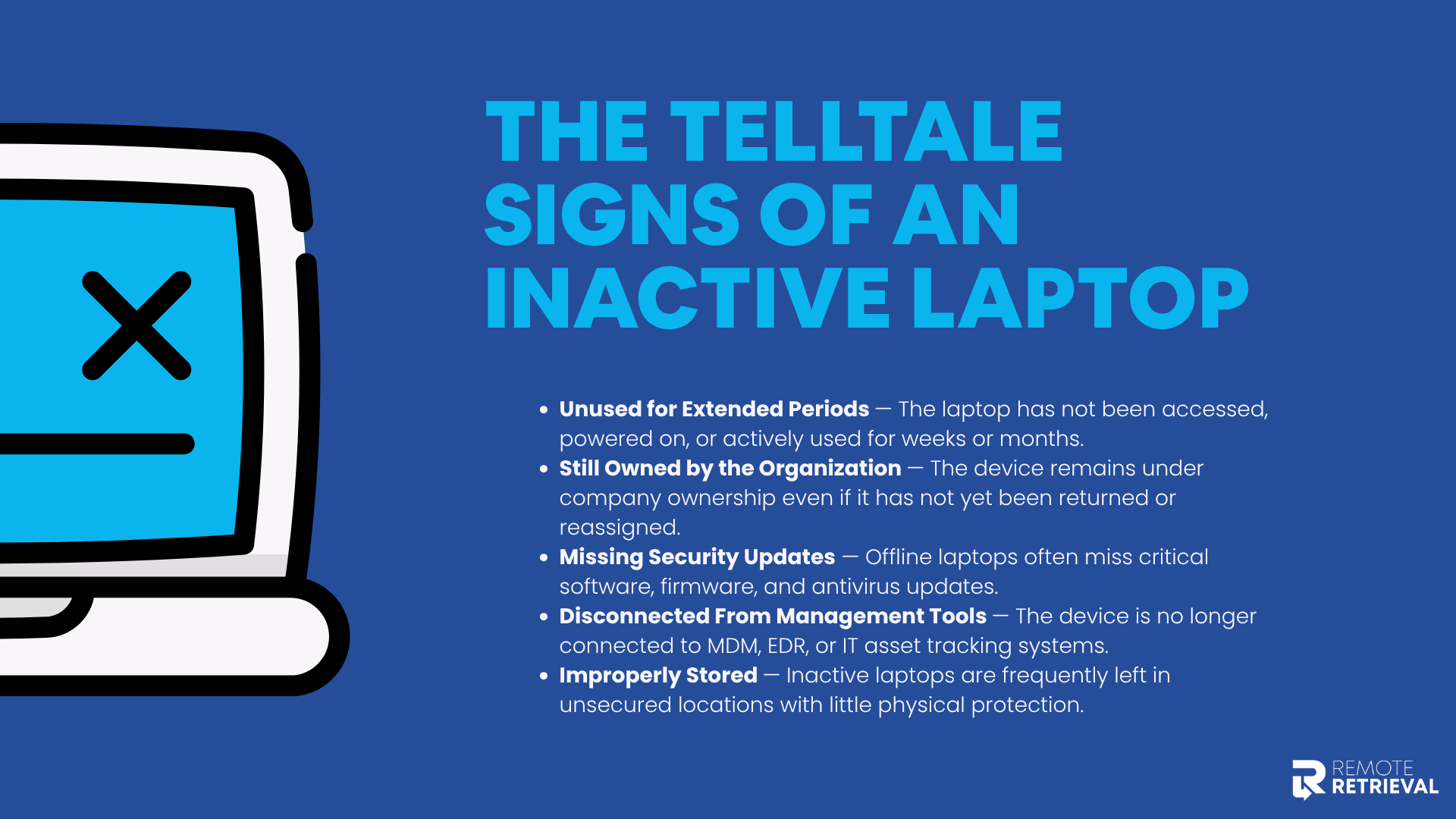
Here are some characteristics of an “inactive” laptop:
-
Unused For Extended Periods
Typically, the device may not have been plugged in, logged in, or used, often when an employee leaves the company, changes roles, or receives a hardware upgrade. In these circumstances, we consider a laptop to be "inactive."
-
Laptop Ownership With The Company
When remote employees leave the company, there may be a delay in returning their laptops and other equipment. The delay can occur due to challenges such as distance from a remote location. However, during this period, the laptop may be inactive but still under the organization’s ownership. Consequently, it is also a liability for the company.
-
Missing Security Updates
If the laptop has been offline and unmanaged for a long time, there is a strong chance that it has missed important security updates and patches. So, the operating system, antivirus software, and firmware are often outdated and vulnerable.
-
Disconnected From Management Tools
Companies and IT management departments play a key role in tracking and managing laptops using advanced systems such as mobile device management (MDM), endpoint detection and response (EDR), and IT asset tracking platforms. However, laptops that have been offline for a long time tend to be disconnected from these software programs and platforms.
-
Poorly Stored
Laptops that are not being used, whether by remote employees or on office premises, should be stored properly. However, inactive laptops that are considered “harmless” are often lying around in unlocked cabinets, storage rooms, employee homes, and warehouses with little to no security.
How Inactive Laptops Become Security Threats
One of the biggest problems with inactive laptops is that they are often overlooked. Since these devices are no longer actively used, organizations may assume they no longer require security controls or monitoring.
In reality, inactive laptops can become some of the easiest targets for data breaches and unauthorized access.
-
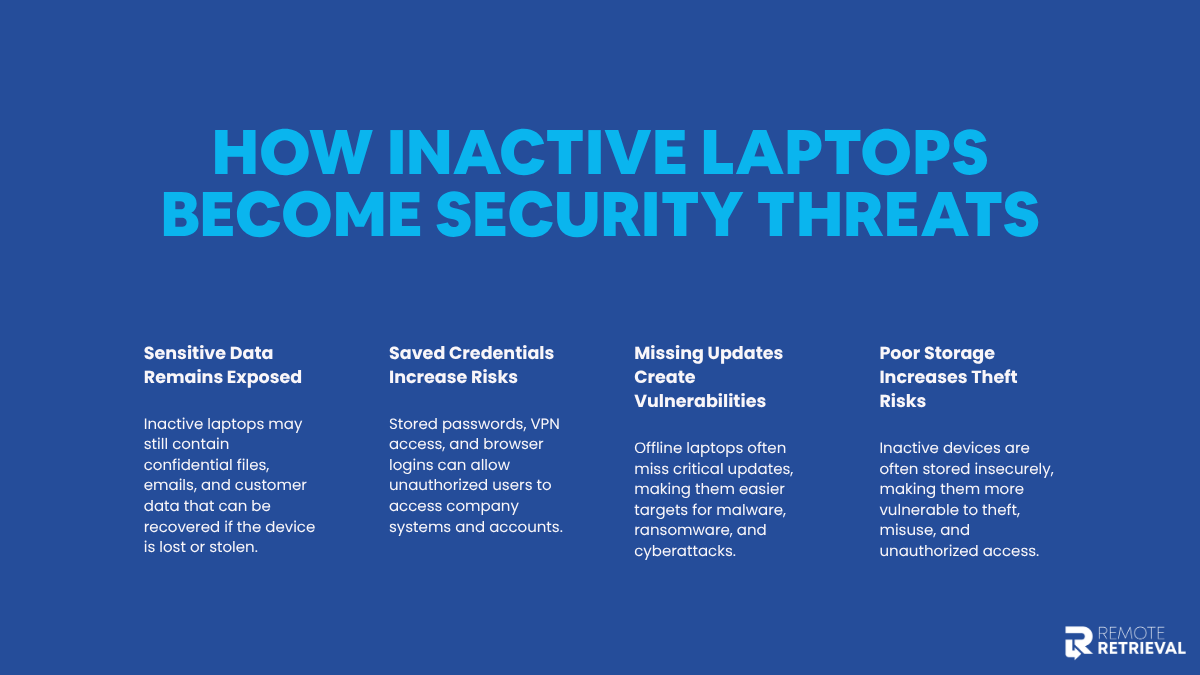
Sensitive Data Remains Exposed
Inactive laptops often still contain:
-
Confidential business documents
-
Customer records
-
Emails and cached files
-
Financial data
-
Internal reports and communications
If the device is lost, stolen, resold, or improperly disposed of, sensitive information can be recovered and exploited. In some cases, even deleted files may still be retrievable.
-
Saved Credentials Increase Unauthorized Access Risks
Many laptops store login credentials for convenience, including:
-
Email accounts
-
VPN access
-
Cloud applications
-
Browser-saved passwords
If an attacker gains physical access to the laptop, they may be able to access corporate systems directly, especially when credentials remain active or multi-factor authentication is not enforced.
-
Missing Security Updates Create Vulnerabilities
Inactive laptops are often running outdated operating systems and unsupported software. Once powered on and connected to a network, these devices can quickly become vulnerable to malware, ransomware, and other cyber threats.
Cybercriminals frequently target outdated systems because known vulnerabilities are easier to exploit.
-
Physical Theft Becomes Easier
Unlike actively managed devices, inactive laptops are commonly stored with minimal security. Devices left in homes, storage rooms, or unlocked offices are far more vulnerable to theft or misuse.
Once stolen, attackers can exploit both the stored data and the device itself with very little resistance.
How to Reduce the Security Risks of Inactive Laptops
The security threats of inactive laptops are serious and, therefore, require a lot of attention. The presence of compliance and regulatory requirements, such as the GDPR, demonstrates how important it is to protect inactive devices.
Preventing data loss and other forms of security threats from inactive devices involves a key step: ensuring that no laptop is ever "forgotten." Below are the most effective ways to eliminate the risks posed by inactive laptops.
-
Maintaining A Centralized Device Inventory
One way to prevent security threats from inactive laptops is to maintain a detailed, centralized device inventory. This means that companies and device owners should maintain records of the laptop’s location, chain of custody, assigned users, and activity status. A centralized inventory prevents devices from disappearing off the radar. When IT knows which laptops are inactive, they can apply security controls, recover devices after offboarding, or initiate secure disposal before risks escalate.
-
Prioritize Revoking Access And Authorization Immediately
Many companies and laptop owners delay revoking credentials and access to laptops that are no longer in use. This can happen due to many reasons, such as unavailability of IT staff, lack of IT security knowledge, not knowing how to offload remote laptops, or delays from the employee’s end. However, disabling user accounts and removing saved credentials immediately is very important. As a result, even if a laptop is stolen or reactivated, it won’t provide a gateway into corporate systems. Cutting off access ensures stored credentials can’t be abused for unauthorized entry.
-
Encryptions Play A Crucial Part
Most people think that security encryption is only for active devices. However, enabling strong encryption on all devices, including inactive ones, ensures that even if the laptop falls into the wrong hands, there is no chance of a data security breach. Without proper authentication, the device becomes useless to attackers.
-
Professional Remote Retrieval Solutions Instead Of DIY
Companies tend to opt for the DIY route for device retrieval, as it may appear cost-friendly and convenient. However, the truth is that internal team processes are not as refined. This means that there is a lack of processes, documentation, and chain-of-custody controls needed to securely recover devices from former employees or remote workers. This increases the risk of data losses and even regulatory non-compliance.
Therefore, companies should opt for professional remote retrieval services that are designed to handle these challenges securely and lawfully. They ensure devices are recovered, tracked, and processed using standardized procedures that protect sensitive data and reduce organizational liability.
Conclusion
Yes, an inactive laptop lying around your workplace or home-based office is seemingly harmless. Devices like laptops that are untouched for months often become “forgotten”. Yet, these inactive laptops tend to hold the biggest security threats — often leading to serious issues like data loss and cyberattacks.
This is because offline, inactive, or devices unused for months do not necessarily mean that there is no important data stored there. Instead, there are tons of critical and sensitive data that can be misused easily if the inactive laptop is ever switched on again, gets stolen, or misplaced.
As remote and hybrid work environments continue to grow, laptop retrieval and lifecycle management have become more complex. Without proper tracking, access revocation, encryption, and secure retrieval processes, inactive laptops can quickly turn into compliance liabilities and data breach entry points.
Therefore, instead of delaying the retrieval process or relying on insufficient in-house or DIY retrievals, you should opt for much more formal and structured remote retrieval services. Remote Retrieval helps organizations recover inactive laptops from remote and former employees safely, efficiently, and compliantly.
Frequently Asked Questions
1. Can a stolen laptop be tracked after a factory reset?
In most situations, tracking a stolen laptop can be a challenging task, even when assigned to the most seasoned and vetted industry experts. This is because a factory reset typically erases data such as:
-
User accounts
-
Installed software
-
Any tracking applications
On top of that, for laptops that were not initially part of the Enterprise Device Management system, the chances of tracking the device become much slimmer. There are instances where tracking a laptop may be possible after a factory reset:
-
The device is registered within an EDM
-
The device was installed with tracking software or hardware
-
Presence of the manufacturer’s linked devices, service,s or solutions
In these circumstances, the device may be able to provide limited access information, such as an IP address or the last used location.
2. Can you track a laptop remotely?
Yes, you can track a laptop remotely, given the following:
-
The tracking feature was pre-installed and pre-activated.
-
The device is connected to the internet.
-
The device can stay on.
The device has to have either of the above-mentioned features before it is stolen, lost, or used remotely. Tracking a laptop remotely is possible through various systems and software, such as:
-
Built-in tools using Wi-Fi triangulation or IP addresses, like Microsoft’s or Apple’s Find My Device
-
Third-party security and tracking tools like Prey
-
Mobile Device Management (MDM) or Endpoint Detection and Response (EDR) tools
However, tracking the laptop remotely may not be possible if the device is
-
Does not have any internet or wifi connection
-
Was not synced with the built-in tracking services
-
Does not have tracking tools installed or activated
-
Was removed from the management systems
For more, read our blog for tips to track laptops across multiple remote locations.
3. What are the risks of handling laptop recovery internally?
Handling laptop recovery internally may seem faster or more cost-effective, but it often exposes organizations to serious security, legal, and operational risks. This is especially true for remote and hybrid work settings. The primary risks of handling laptop recovery internally are:
-
Internal teams may lack secure chain-of-custody procedures, increasing the risk of security breaches.
-
Organizations may fail audits due to improper or incomplete documentation that demonstrates compliance.
-
Improper communication with former employees can lead to disputes, privacy concerns, or legal claims.
-
Internal procedures often face delays and pauses, leaving devices unattended for long periods.
-
Mishandled recoveries can violate data protection regulations, resulting in fines, penalties, and reputational damage.
Therefore, specialized and professional retrieval and recovery services are a much safer choice due to standardized and compliant processes.